Get started on iOS
Read the instructions then proceed with the download button
- Access this page on your iPhone or mac with your home Wi-Fi, tethering or 3G/4G/5G internet
- Safari must be used. Third party browser are not compatible with this setup
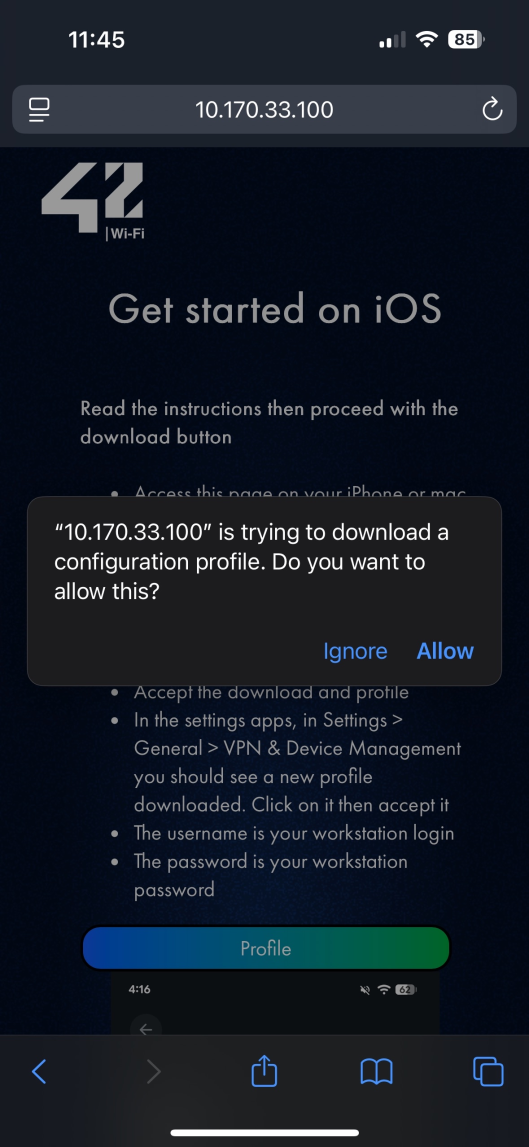
- Press the Download button
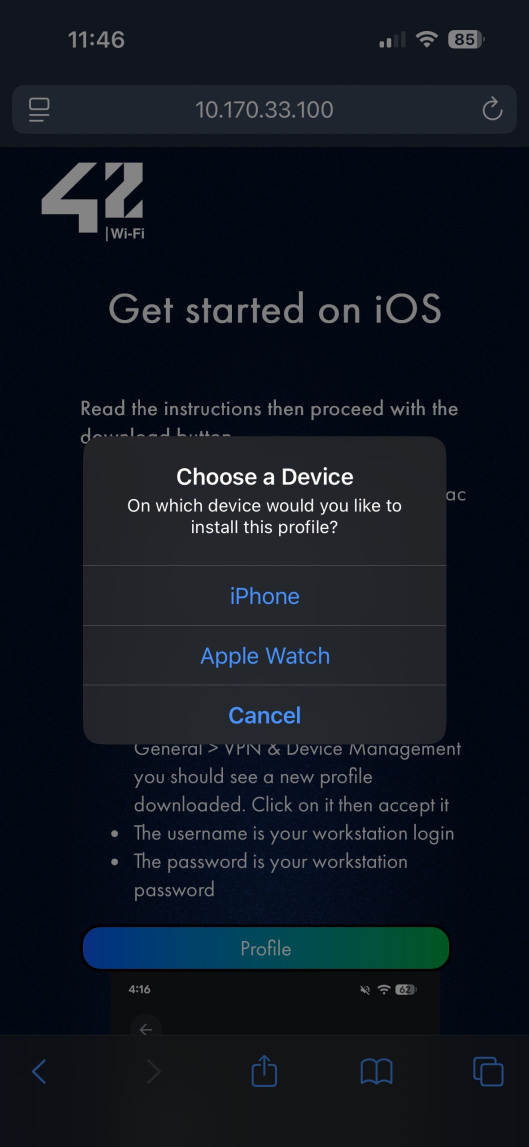
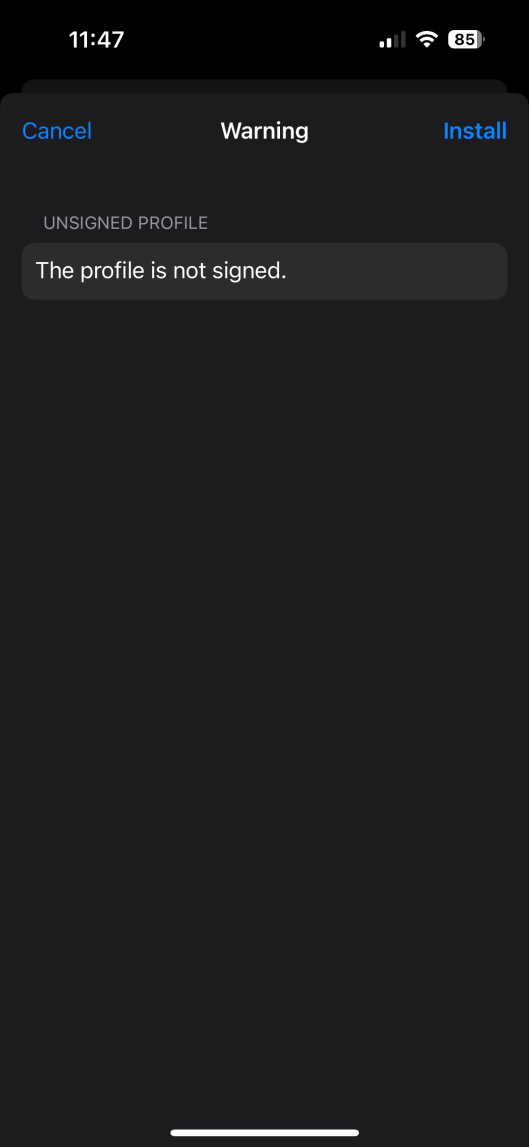
- Accept the download and profile
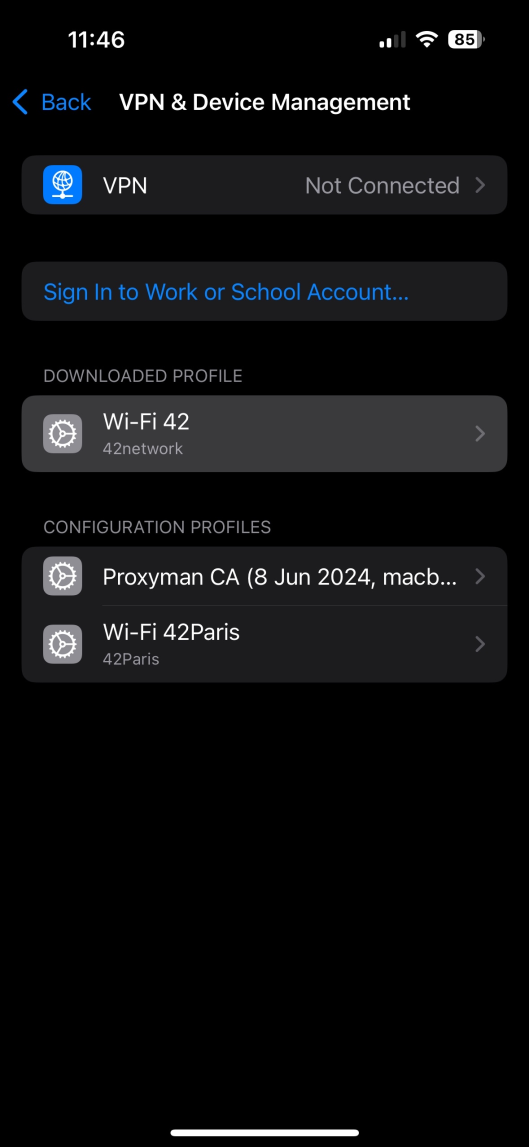
- In the settings apps, in Settings > General > VPN & Device Management you should see a new profile
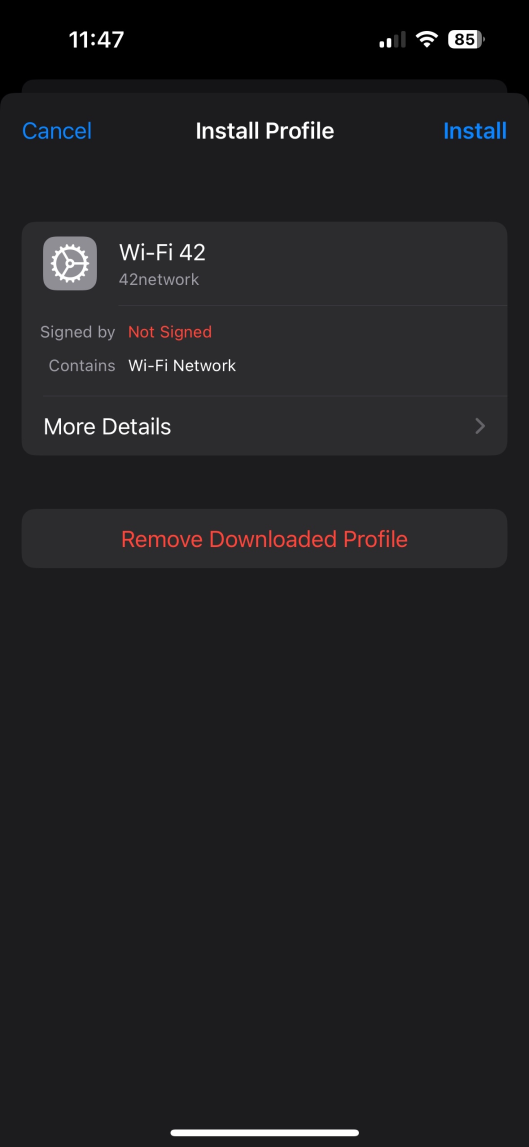
downloaded. Click on it then accept it
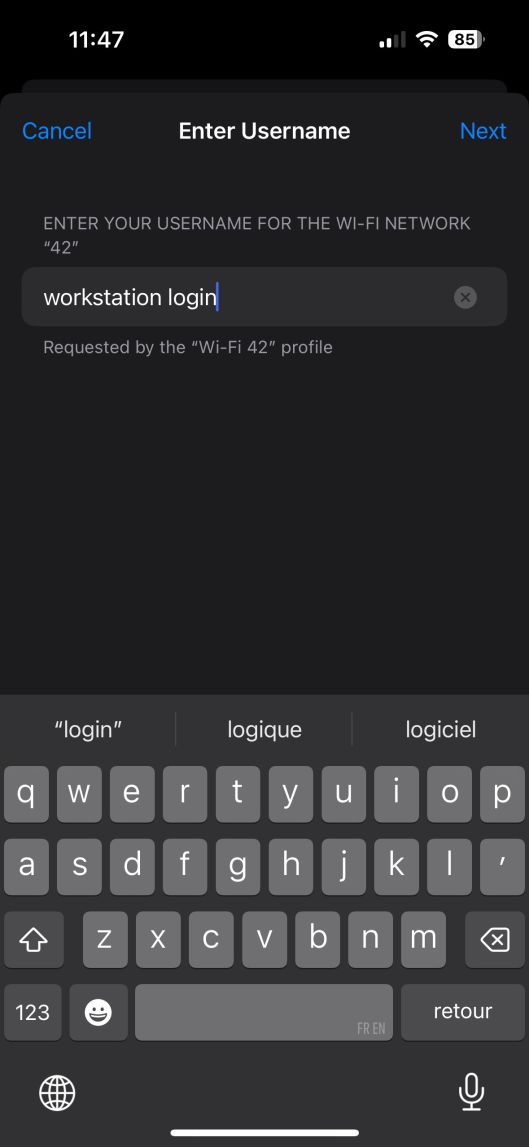
- The username is your workstation login
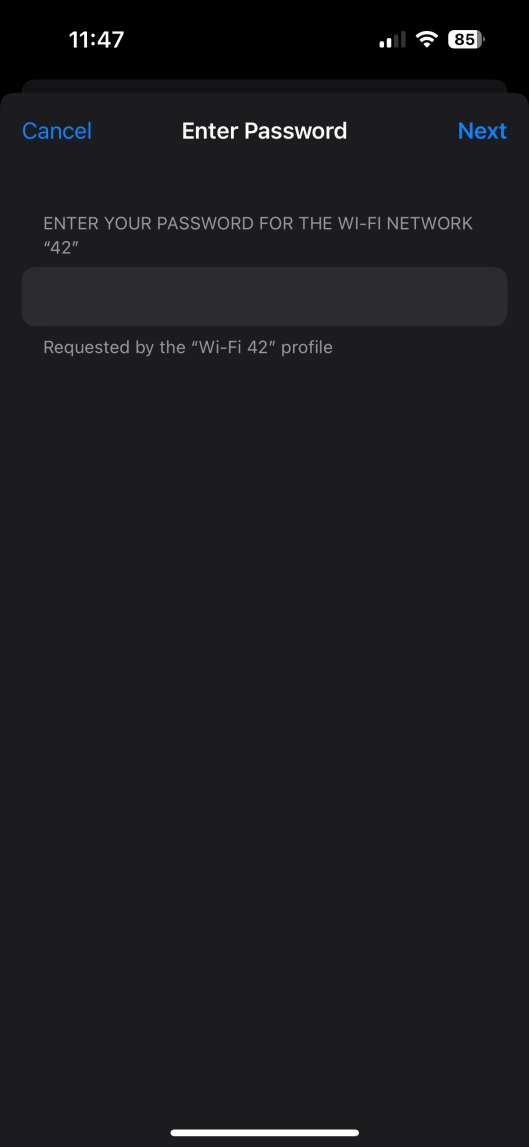
- The password is your workstation password
- Then on the Settings menu, connect to 42's Wi-Fi
Download Profile
Step by steps screenshots